
Running Robots
Help & Contact
Coming soon to the App StoreThe robots race in a straight line until something stops them. Who can find the shortest path to the goal? Play solo or together — from two players to a whole class.
A wall or another robot stops each move. Solo Puzzles offers Easy, Medium and Hard levels, stars, hints and solutions, plus a new Daily Puzzle every day. Diagonals adds tiles that redirect the robots.
Play Together supports up to 40 names or 10 teams. When you spot a solution, call out your move count. The player or team with the lowest bid demonstrates their path.
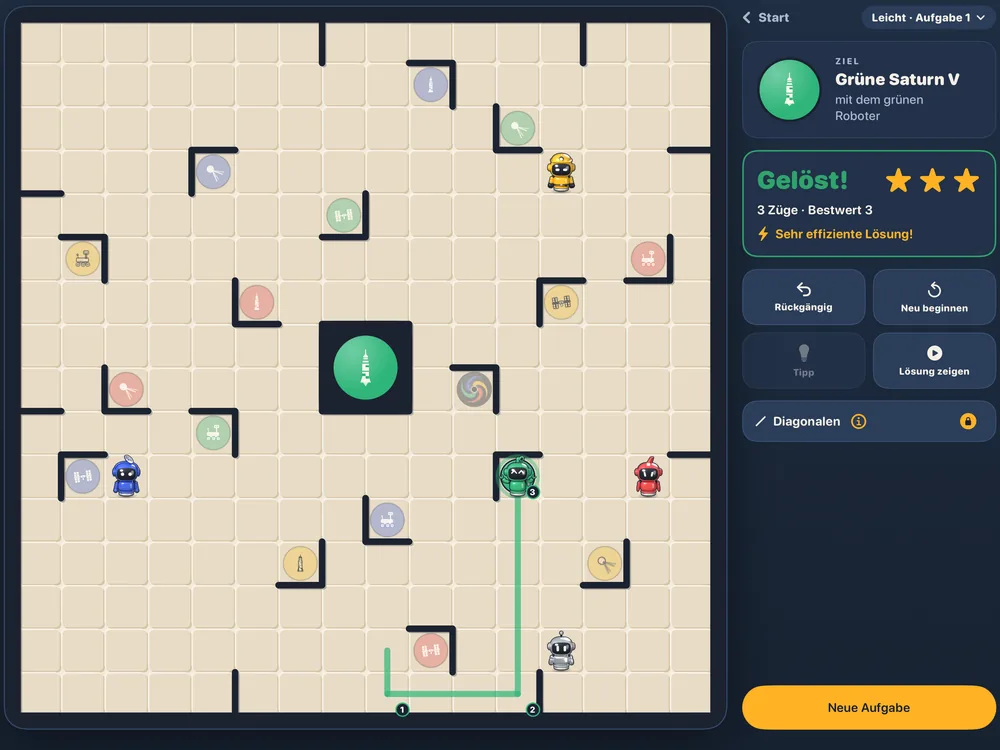
See it in action
What is included for free?
The free download includes Easy Solo Puzzles, a Daily Puzzle every day, How to Play, the projector display and one Play Together trial game with three goals each day. There is no account, developer-operated server, tracking or advertising.
How do I buy the Full Version?
Open Settings → Full Version. This is a one-time in-app purchase through the App Store, with no subscription. It unlocks Medium and Hard, Diagonals and unlimited Play Together. The App Store shows the price before you buy.
How do I restore a purchase?
Open Settings → Full Version → Restore Purchases. Use the same Apple Account you used for the purchase, for example after switching devices or reinstalling the app.
Can my family use the Full Version?
Yes. The Full Version supports Apple Family Sharing. With purchase sharing set up for your family group, family members can use the purchase too. If it has not unlocked, select Restore Purchases.
What happens with Ask to Buy?
If Apple’s Ask to Buy is enabled, a parent must approve the purchase. While approval is pending, the free version remains available. Apple handles the approval.
How does the daily trial game work?
You can try Play Together once per calendar day with three goals. A new trial is available on the next calendar day. The Full Version removes this limit.
How do I show the board on a projector or TV?
Connect your iPad or iPhone to the second screen using a cable or AirPlay. The projector display appears on that screen with a large board, while your device remains the teacher’s control desk. The projector display is included in the free version.
How do I play sounds in Silent Mode?
Enable Also in Silent Mode in Settings if you want the app to play sounds while your device is silenced.
When will I receive the Daily Puzzle Reminder?
The reminder arrives at 4 pm. Enable Daily Puzzle Reminder in Settings. Your device schedules it locally; there is no push notification service. You can revoke notification permission at any time in iOS Settings.
Where can I find the rules?
Open How to Play in the app. It is available without the Full Version.
Which devices and languages are supported?
Running Robots runs on iPhone and iPad with iOS/iPadOS 17 or later and on Macs with Apple silicon running macOS 14 or later. The app is available in 16 languages: English, German, Spanish, French, Italian, Portuguese (Portugal and Brazil), Dutch, Danish, Swedish, Norwegian, Russian, Turkish, Japanese, Korean and Simplified Chinese.
On a Mac, move the robots with mouse or trackpad (drag a robot) or with the keyboard: 1–5 selects a robot, the arrow keys move it, ⌘Z undoes. For a projector, mirror the screen.
Contact
For help, email support@wilhelmswerk.de. Please include your device, operating system version and a short description of the issue.